Building Study Nest: A Student Marketplace
Project for CSCE 3444 - Software Engineering
Built Summer 2025
Study Nest was born out of a simple observation: students have a lot of stuff they don't need, and other students need that stuff but can't afford it.
Demo
Here is a brief demo of the app showing off the core functionalities of the marketplace:
The Vision
This project had a strict 6-week implementation phase, so I wanted to make sure I was hitting some specific, achievable goals in that time:
- Learn React Native - I wanted to use React Native so that I could transfer my skills from this project to web development. Might as well, right?
- Use a Database - I was taking a databases class while working on this so I wanted to supplement my learning with some actual practice.
- Take a Security-First Approach - Despite being a small-scale project, I wanted the experience of implementing actual security measures.
- Make Something I'm Proud Of - I added as much UX polish as I could in the given time: light and dark themes, skeleton screens, intuitive icons, and making sure the scrolling feels 'just right' were among the many details I made sure to pay attention to.
Features
- Creating, deleting, and updating marketplace posts
- Customizable user profiles
- In-app messaging
- File sharing for class-related materials
Technical Stack
- Frontend: React Native with TypeScript for a robust, cross-platform experience that runs on both iOS and Android.
- Backend: Supabase with PostgreSQL, providing a scalable relational database for complex listings.
- Third Party Services: Integrated Stream messaging service for seamless communication between buyers and sellers.
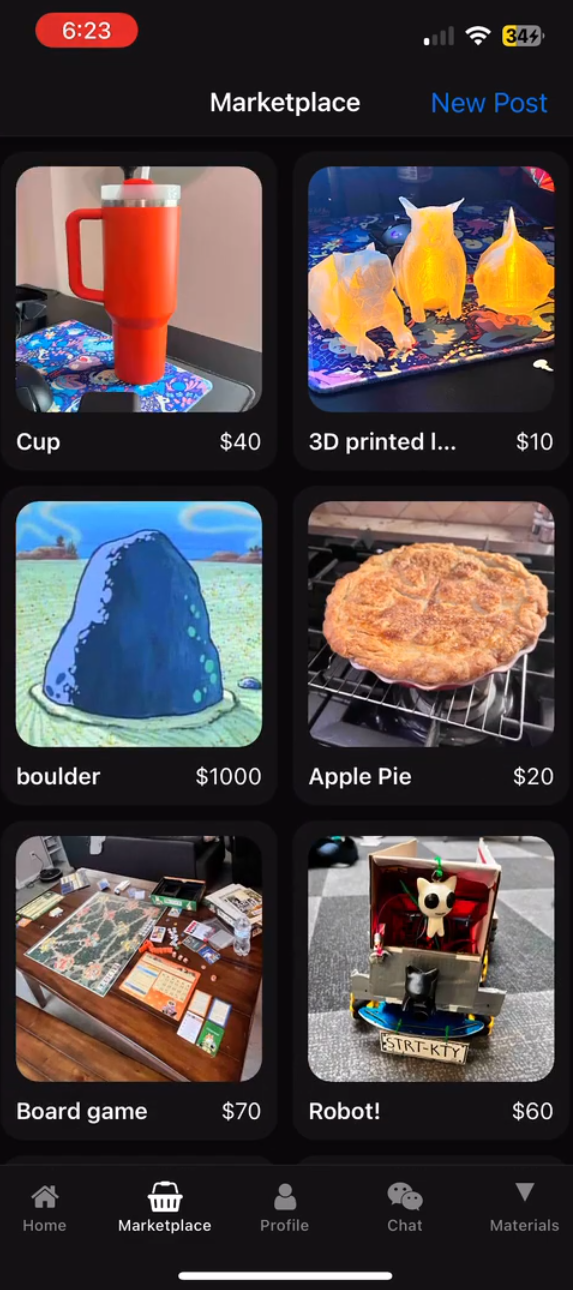 Listings View
Key Challenges
One of the biggest hurdles was figuring out how to handle uploading image data concurrently with other listing data at listing creation time in a way that didn't allow for hanging data. This was solved with a server-side edge function that checks new listing uploads to ensure the corresponding post and image have both been uploaded before publishing; if either of them are not uploaded within a certain amount of time, the post is cancelled and the hanging data is deleted.
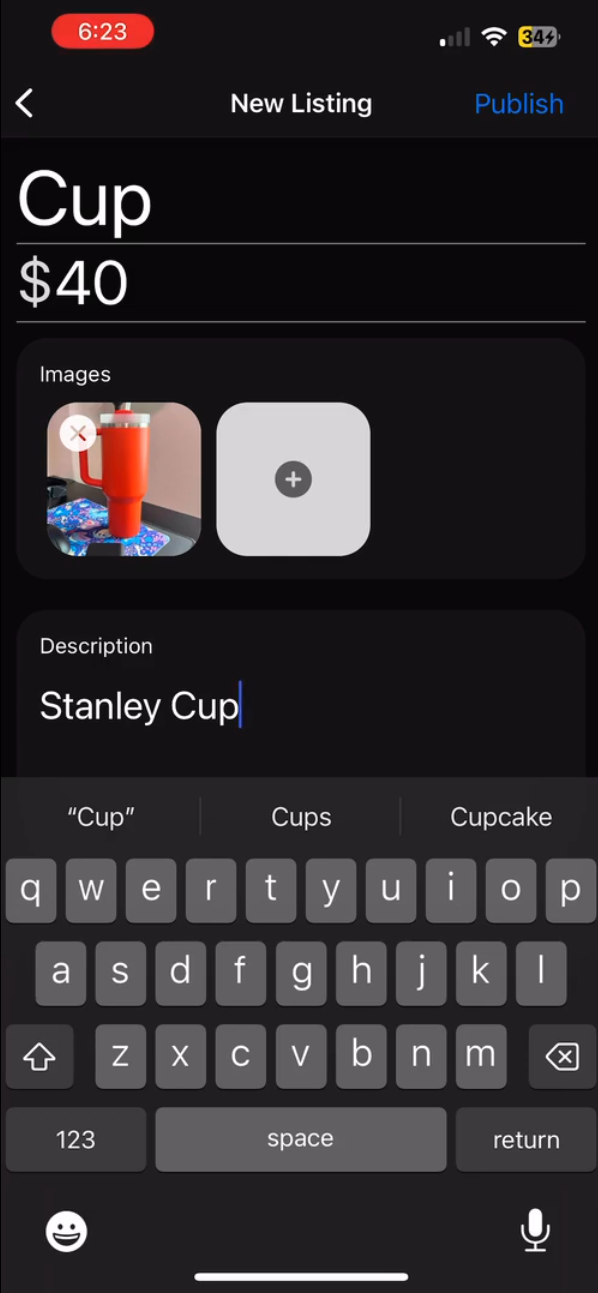 "Create Listing" Page