Built Summer 2024
My Personal Favorite Project
A deal like $300 worth of LED matrices for $25 is too good to pass up. That's why when my brother found these we had to make a project out of it.
This project involved encountering a variety of challenges, from minimal online documentation (which seems to have been taken offline entirely since the making of this project)
and this being my first 'real' project. In the end, this was easily my most satisfying project to see working.
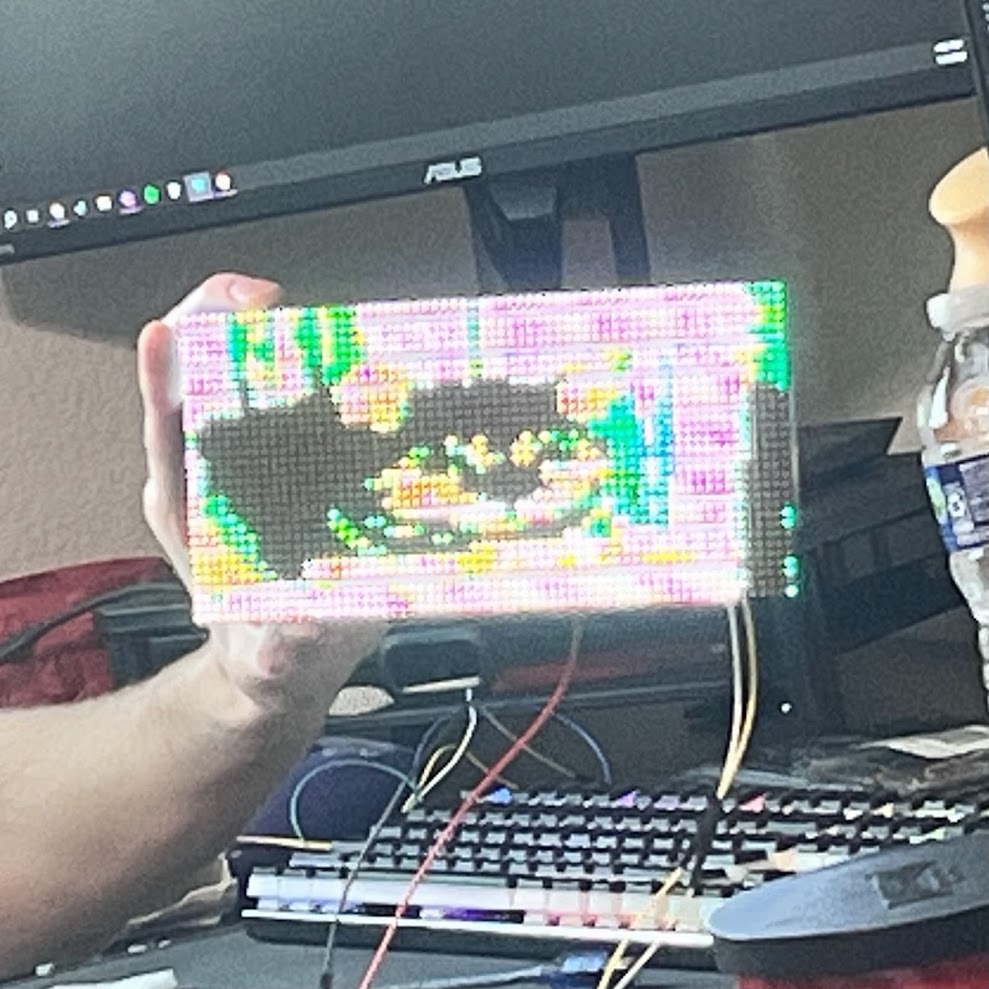 The LED Matrix showing a cat face.
Hardware Used
- Arduino R4 WiFi
- Lumex ezDisplay LDM-6432-P4-BLE4 LED Matrix (Datasheet)
How it Works
- The Trigger: On boot, the Arduino connects to WiFi and sends a request to an AWS Lambda function.
- The Processing: The Lambda function fetches a random cat image from a public API. The image is downscaled to 64x32 and colors are converted to their nearest counterpart
within the color space of the matrix.
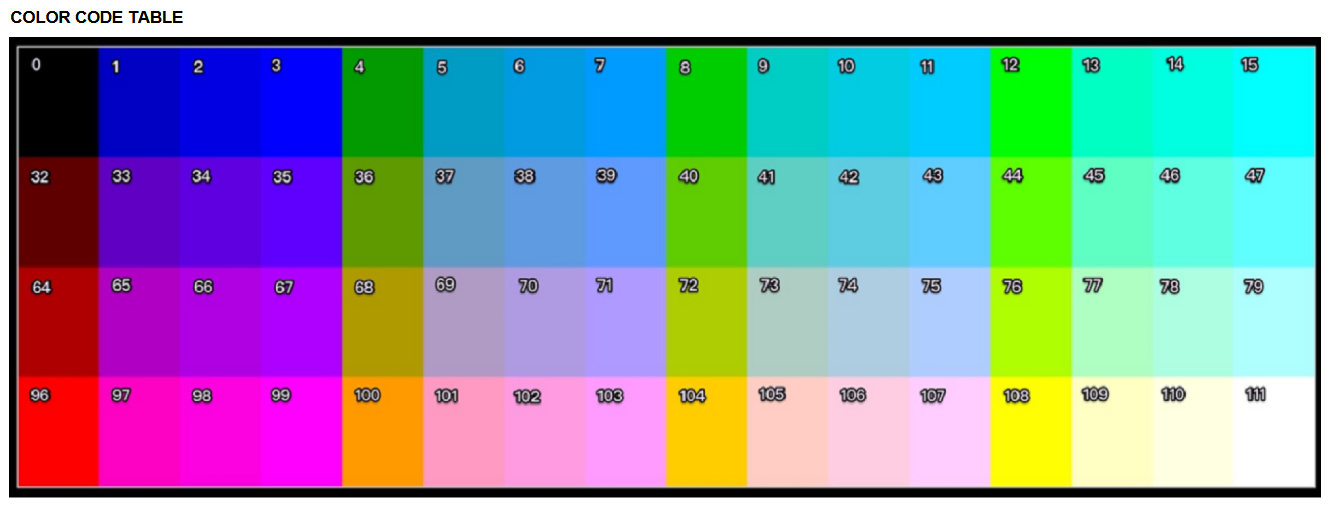 The color space for the Lumex LED Matrix. Each color is mapped to a unique number.
 - The Transmission: The processed data is returned by the Lambda API as a string of integers representing colors (see above image).
- The Rendering: The returned string is parsed and stored as a 64x32 array in memory on the Arduino.
These LED matrices come with an interesting caveat - only one command can be every 40 ms. This means any time we want to draw a pixel, we need to wait 40 ms before drawing another.
Using this method of rendering one pixel at a time, it takes (40 ms/px x ((32 x 64) - 1)px) = 81.88sec to display each image. This is rather long so some optimizations need to be made.
Run-Length Encoding (RLE)
Initially, images were being rendered one at a time, like this:
// Initial approach. Takes 81.88 sec per image consistently.
for(int x = 0; x < ROW_LENGTH; x++) { // Iterate over every pixel
   for(int y = 0; y < COL_LENGTH; y++) {
      drawPixel(x,y); // Draw pixel at coordinates (x,y)
      delay(40) // Wait 40 ms for board to accept another command
   }
}
Since we're being limited by the 40 ms delay imposed by the display, performance isn't being bound by compute time but rather by the number of draw commands being made. Looking back at the data sheet, we can see a singular command for drawing rectangles from one coordinate to another. By creating a 1-height rectangle, we can color a line of same-colored pixels in the same time it takes to color one.
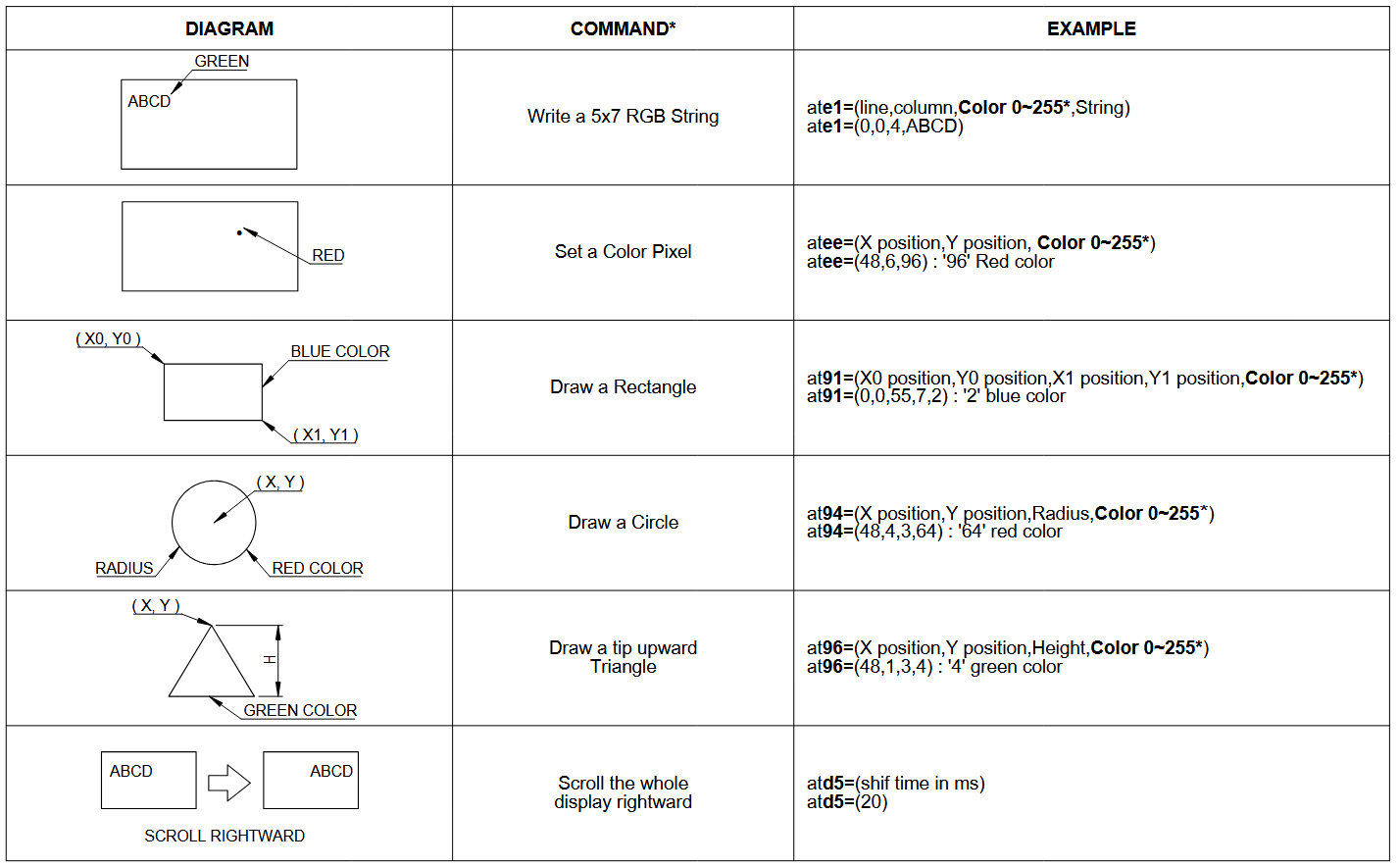 The draw commands for the LED matrix. Among the options are commands for drawing individual pixels and lines.
// RLE Approach. Experimental testing showed avg. time of 30-40 seconds per image
for(int y = 0; y < COL_LENGTH; y++) { // Iterate over every column
   for(int i = 0; i < ROW_LENGTH; i++) {
      int start_x = i; // The current x value of the cursor.
      int count = 1; // The current number of consecutive same-color pixels
      for(; i < (64 - 1) && row[i] == row[i + 1]; i++) { // Scan through row.
         // Increment count until line of consecutive colors ends
         count++;
      }
      // Draw a line from the current pixel to the last pixel in the consecutive row
      drawRectangle(start_x, currentCol, start_x + count, currentCol, row[i]);
      delay(40)
   }
}
Implementing RLE reduced the per-image render time by roughly 50% on average, with testing showing an average render time in the ballpark of 30-40 seconds per image.
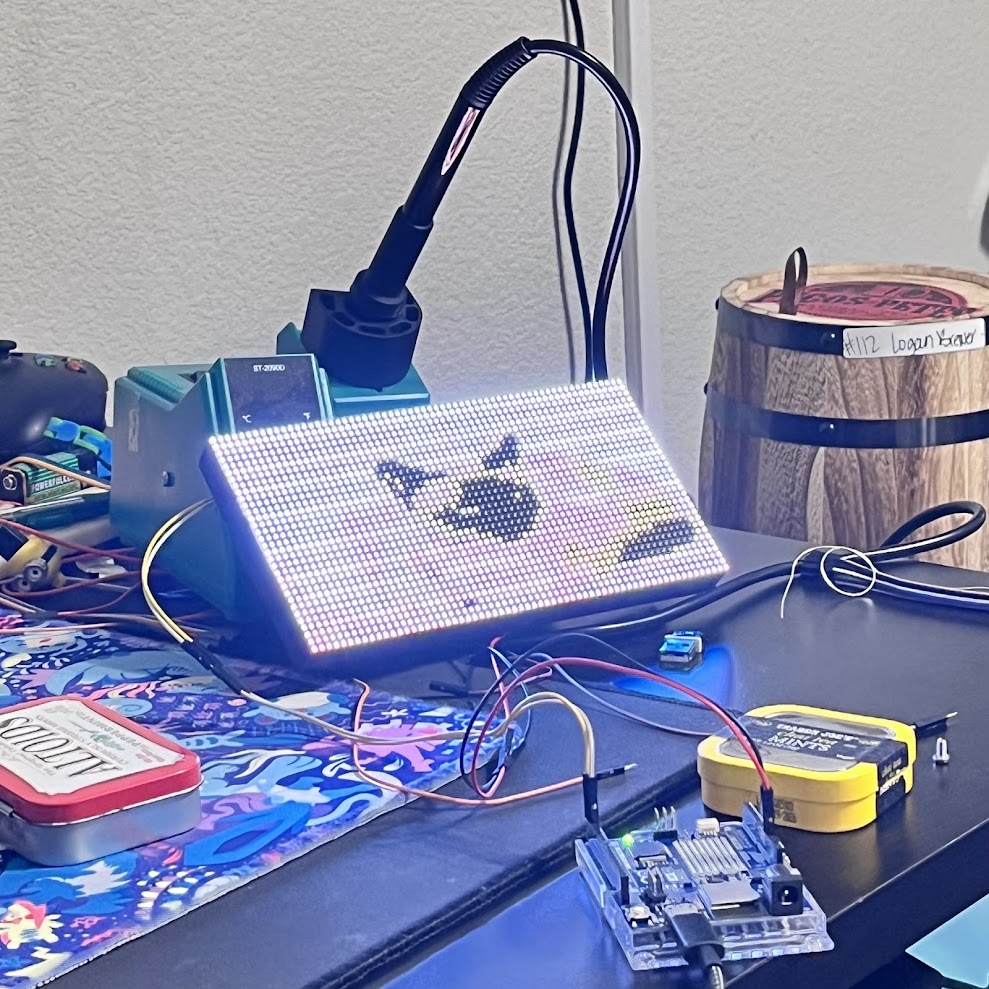 An image of a Siamese cat shown on the display
This project was a great introduction to the constraints of embedded systems and the power of offloading heavy computation to the cloud.